
Geochemical diagram guide
Custom XY Builder: turn a published diagram into a reusable template
When the diagram you need is in a paper but not in your software, the Custom XY Builder lets you trace it over the published figure, connect its axes to your variables and plot your own samples on it.
Kaligeos Community is free for Windows 10 and 11. Your account includes 50 vector exports (SVG or PDF).
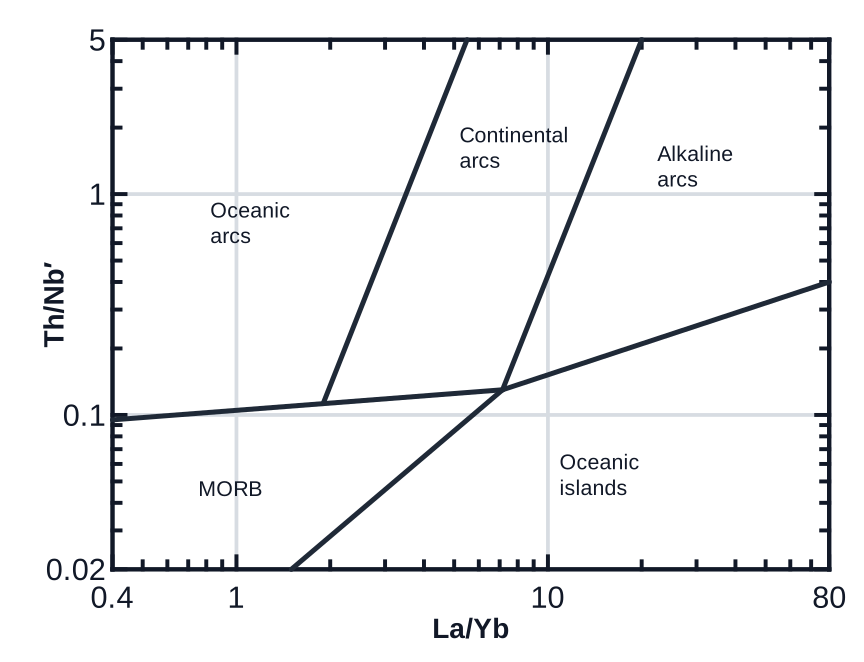
How the builder works
- Choose a Cartesian XY or a ternary diagram.
- Load the published figure as a PNG or JPG guide image; it is used for tracing and is not treated as data.
- Calibrate the X and Y axes, or the three sides of the ternary, by marking known values.
- Give each axis a label, a linear or logarithmic scale and a variable or formula such as SiO2, Na2O + K2O, Nb/Yb, (La/Sm)c or (Nb/Yb)m.
- Draw field boundaries and annotations with lines, arrows, polylines, Bézier curves, polygons and text.
- Save the definition as a .kaligeos_template file and reuse it in any project.
Templates included with Kaligeos
The same engine powers the official templates that ship with Kaligeos, including Pearce & Norry (1979), Pearce & Cann (1973) and Gorton & Schandl (2000), each with its original citation.
Plotting and export
- Samples are plotted with the same expression resolver used by Generic XY, so ratios and normalized ratios behave identically.
- Group samples with reusable legend schemes, keep several diagrams linked to the same selection and save views inside a .kaligeos project.
- Export the figure as SVG or PDF for papers, theses and posters. Kaligeos Community includes 50 vector exports per account.
- Kaligeos Community accounts can keep 2 Custom Builder definitions registered at the same time; saving a definition needs an internet connection.
Frequently asked questions
- Is the reference image included when I export?
- The guide image is a tracing aid. Your exported figure is drawn from the calibrated axes, fields and labels you defined.